CAD Validation Software

CompareVidia

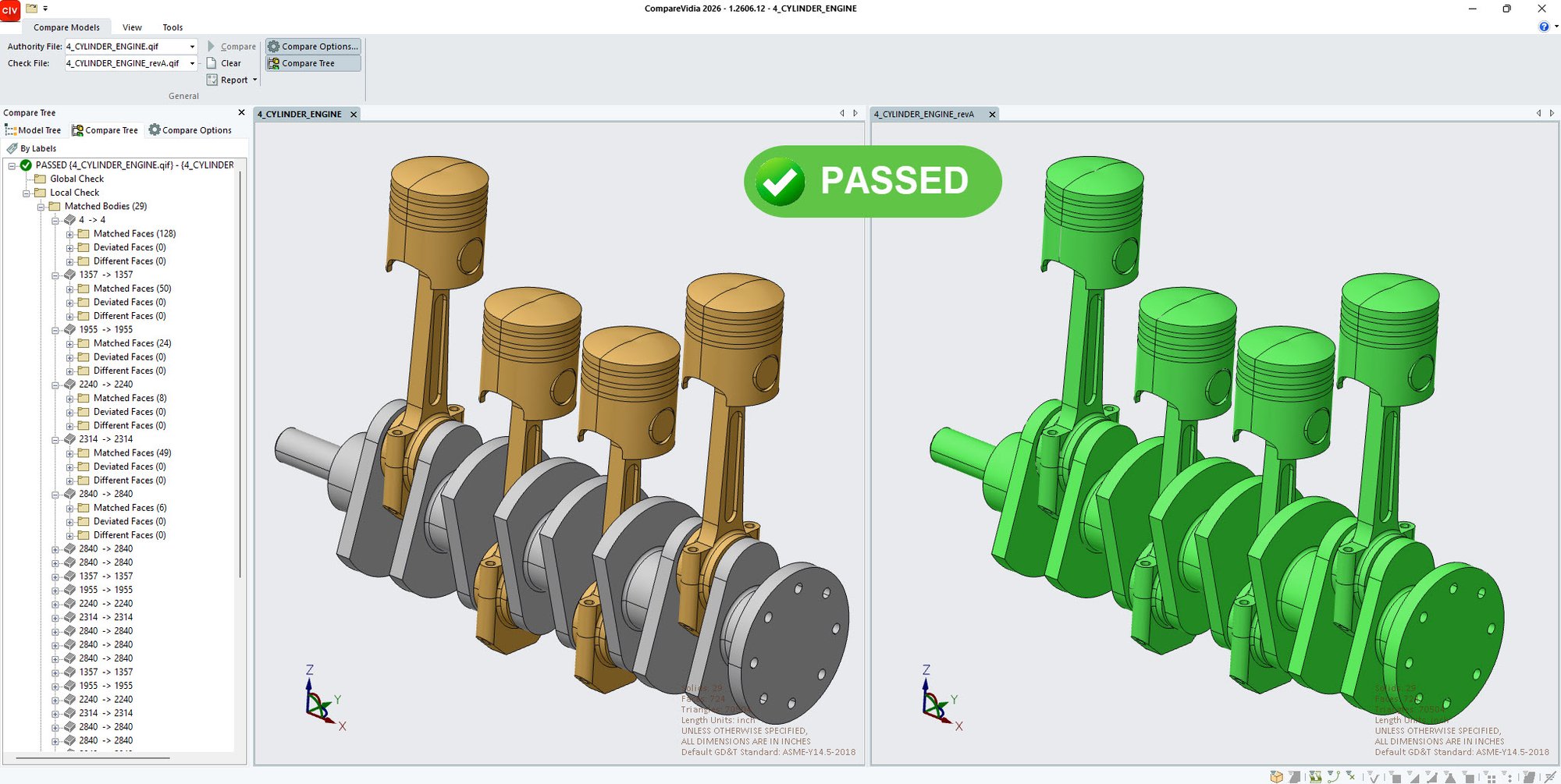
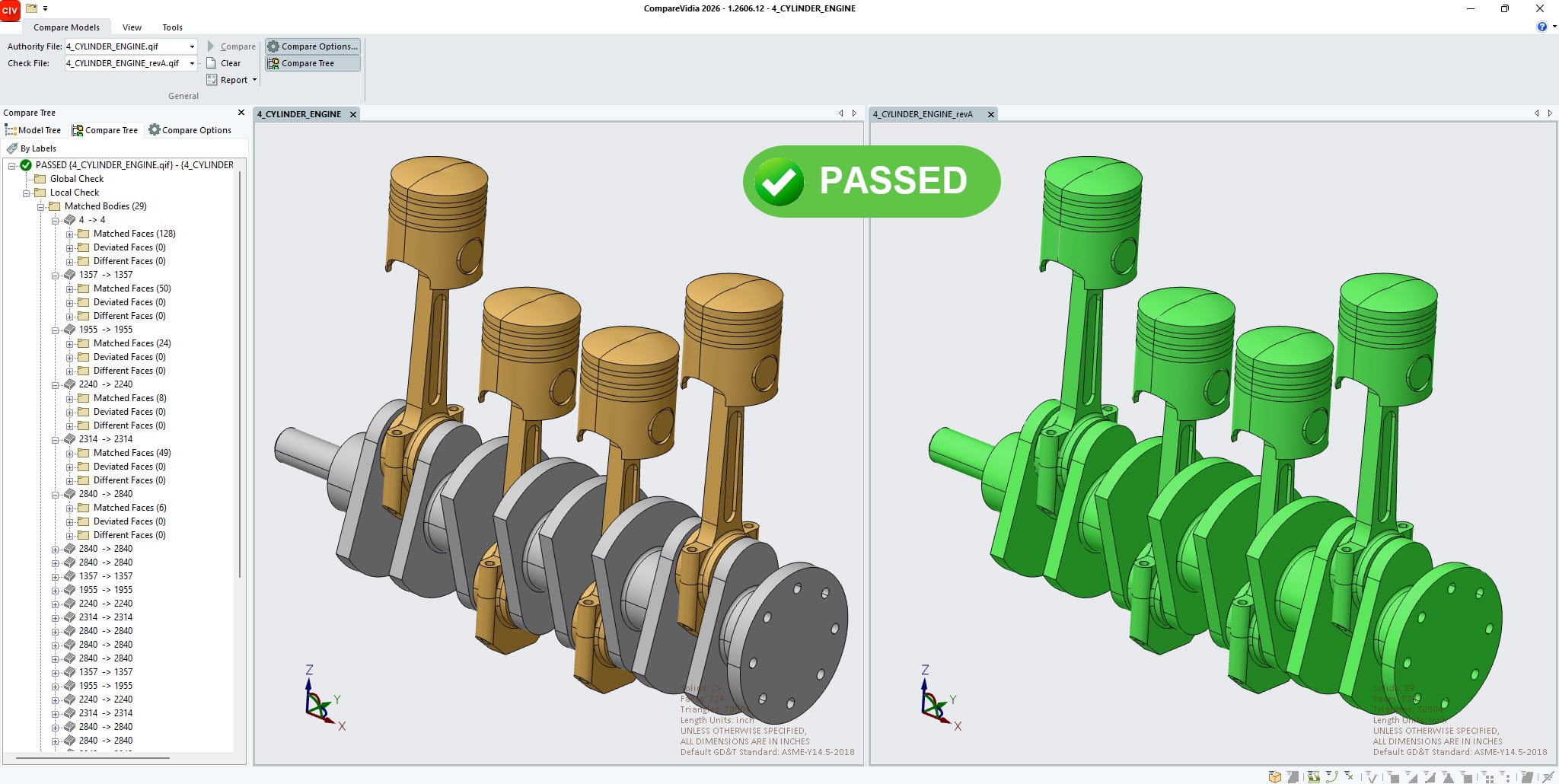
CompareVidia validates CAD translations and revisions against the original model—detecting changes in geometry, PMI, and GD&T to ensure data integrity, support DPD compliance, and prevent downstream errors.

Translation
favicon

Compare native and derivative CAD models to confirm translation accuracy across Creo, NX, SolidWorks, CATIA, QIF, STEP AP242, and more

favicon

Detect changes in geometry, PMI, and GD&T

favicon

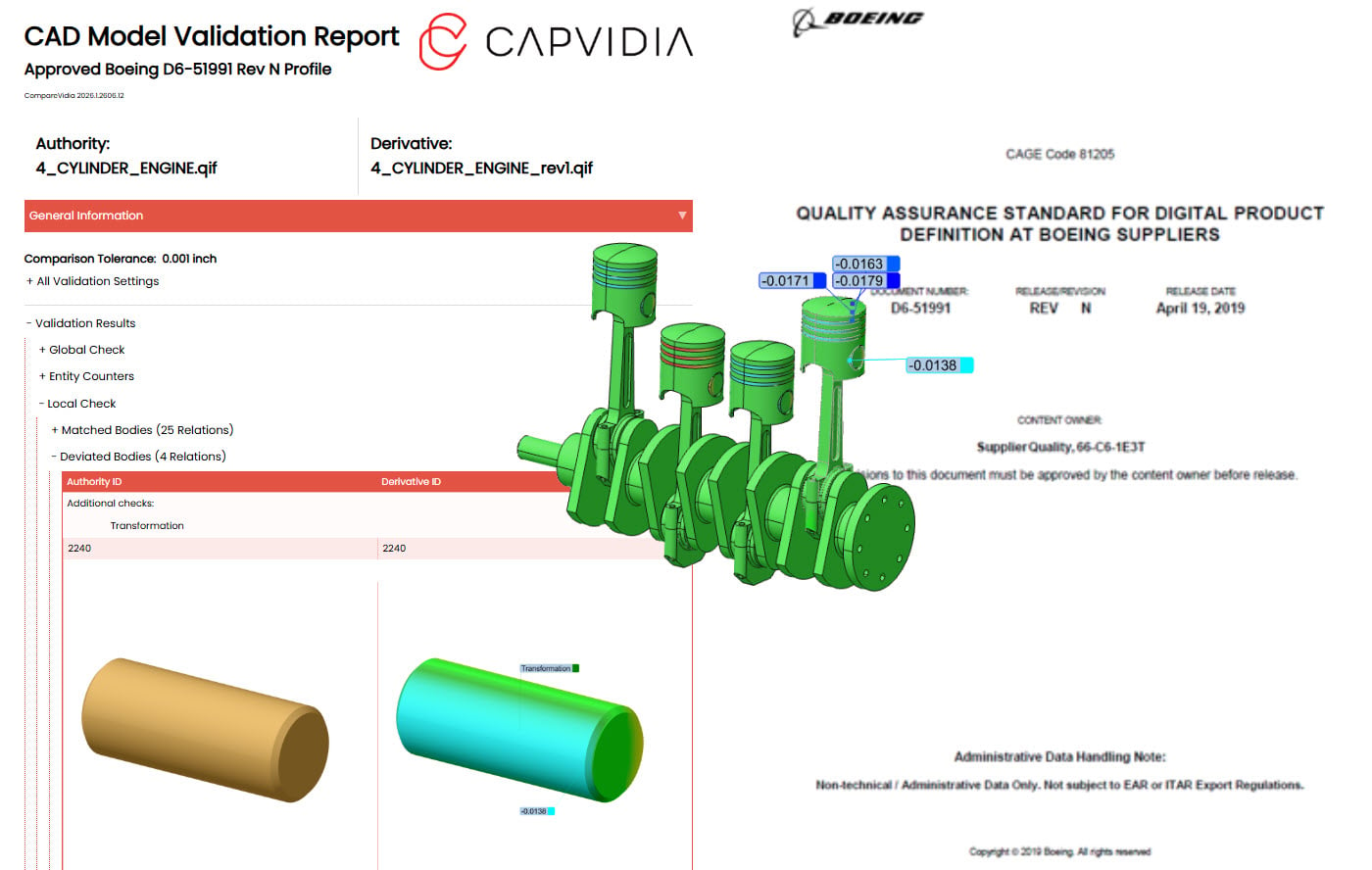
Support DPD compliance and supplier audit approval such as Boeing D6-51991 and other aerospace requirements

favicon

Connect validation, change, and quality across the digital thread
Trusted across aerospace, defense, automotive, medical manufacturing and other high-precision industries

  • 01_RTX
  • 03_Lockheed_Martin
  • 04_Schneider_Electric
  • 05_Stryker
  • GE_Aerospace_500x500
  • 07_GE_Appliances
  • L3Harris_500x500
  • 10_Lam_Research
  • MOOG_500x500
  • 12_Thales
  • 13_Richemont
  • 14_NASA
  • 15_BAE_Systems
  • 16_General_Dynamics
  • SLB_500x500
  • Boeing_500x500
  • 20_Hitachi
  • 23_Edwards_Lifesciences
  • 24_Caterpillar
  • 26_Cisco

Lockheed Martin recommends Capvidia for OEMs and Suppliers. 

Who uses CompareVidia?

Design CAD Team Icon

OEMs

Keep derivative CAD aligned with the authority model.

Quality Inspection Icon

Suppliers

Confirm revised CAD matches the native model before it reaches the floor.

Digital Transformation Leader Icon

Digital Transformation leaders

Drive digital product definition (DPD) compliance across the digital thread.

MBDReady

What you can do with CompareVidia:

1.

Build Trust in Every CAD Translation

Compare native and translated CAD data to verify that geometry, assemblies and product information remain accurate throughout the digital thread.

Detect discrepancies early to reduce downstream issues, improve supplier collaboration, and increase confidence in exchanged engineering data.

Translation
2.

Simplify Compliance and Supplier Validation

Automate validation workflows that support Digital Product Definition (DPD) requirements and derivative model verification, such as Boeing D6-51991 and other aerospace requirements.

Generate objective evidence of compliance while reducing the time and effort required for supplier and customer validation activities.

BoeingD6
3.

Protect Design Intent

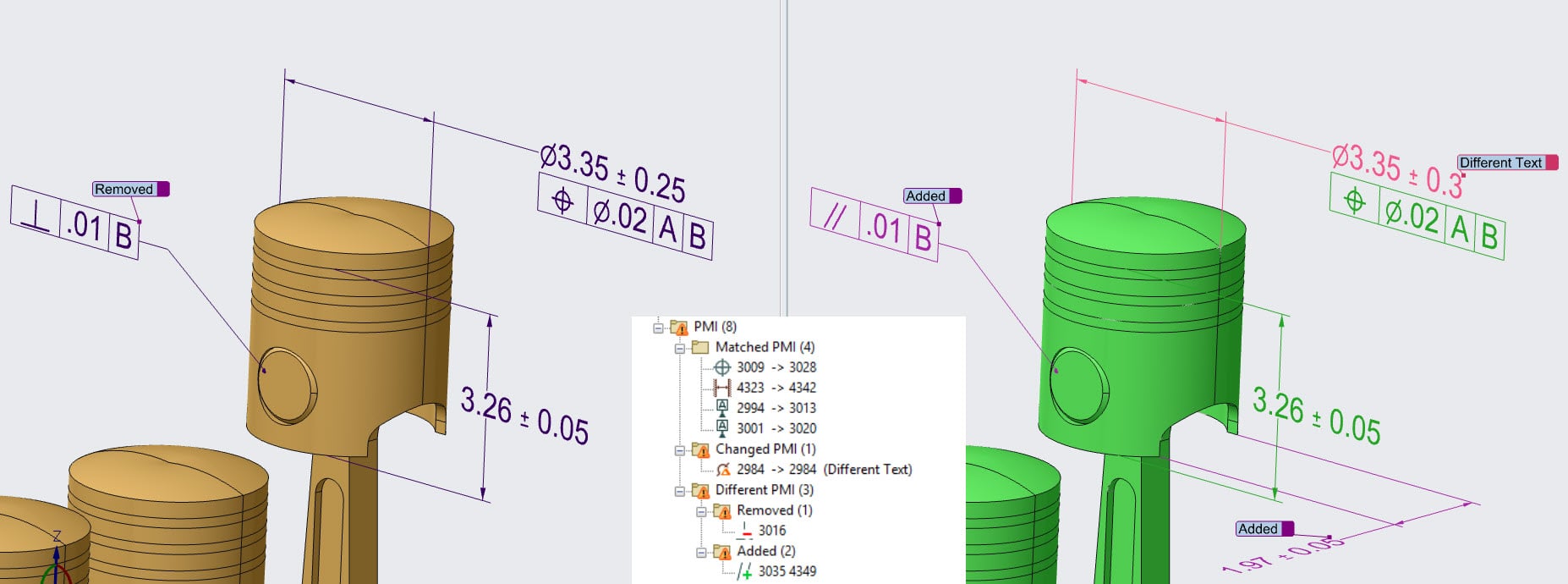
Analyze semantic PMI including GD&T, dimensions, datums, notes, weld symbols, and other manufacturing requirements to ensure critical design intent is preserved.

Identify missing, changed, or incorrectly translated product manufacturing information before it impacts manufacturing or quality processes.

PMI_check
4.

Gain Complete Visibility into Engineering Changes

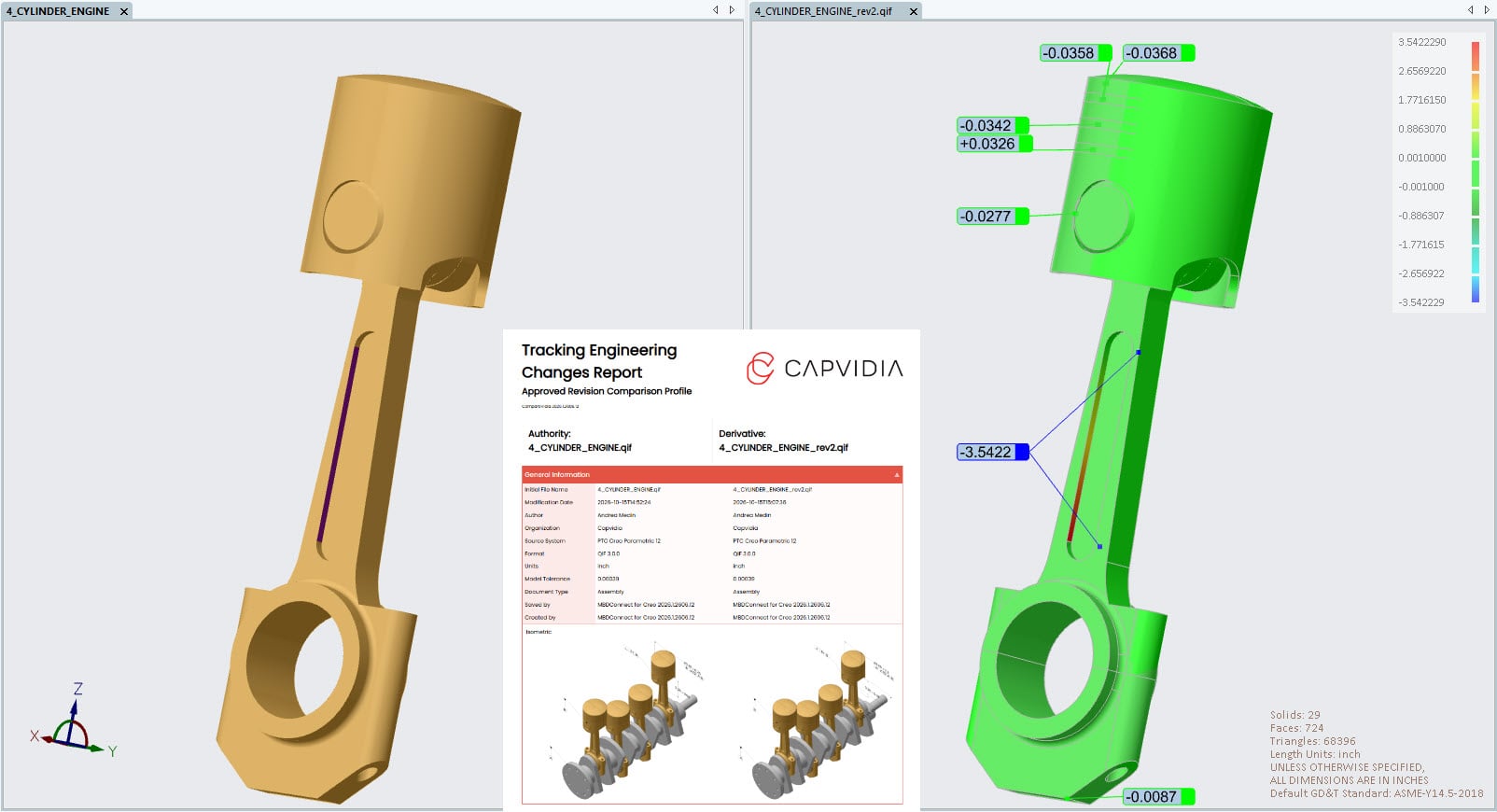
Compare CAD revisions and engineering changes to quickly identify modified geometry, updated PMI, assembly differences, and unintended design variations.

Improve change management by highlighting exactly what changed between releases, reducing manual review effort and minimizing risk.

TEC
5.

Share Validation Insights

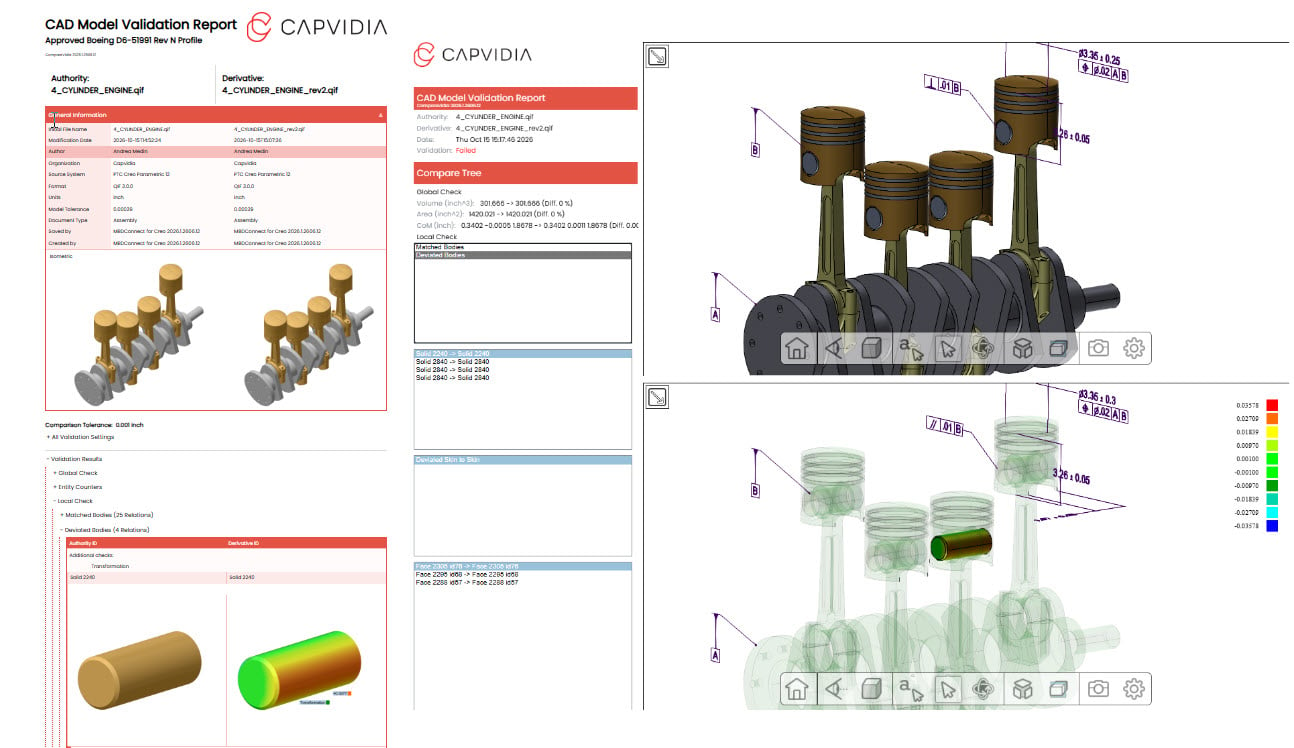
Create detailed validation deliverables in formats such as Excel, PDF, and interactive 3D HTML, providing clear visibility into comparison results and detected differences.

Enable engineering, quality, suppliers, and customers to review and communicate validation outcomes without requiring access to native CAD systems.

Reports_CV
Standards-based Digital Thread

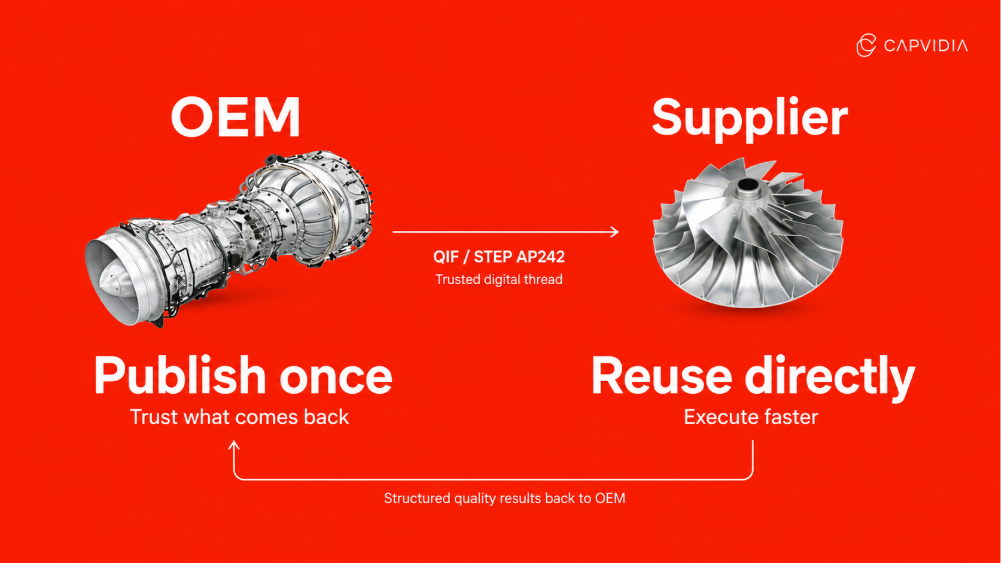
How the digital thread connects OEMs and suppliers

OEM and Supplier Win Win
favicon

The OEM communicates engineering intent

The Quality Information Framework (QIF) gives the OEM and supplier a common way to exchange the product definition. Geometry, dimensions, tolerances, and datums travel together so the supplier can identify exactly which requirement applies to each feature.

favicon

The supplier reuses the requirement

Manufacturing and quality teams can review that definition and use its machine-readable characteristics to plan inspections and prepare reports.

favicon

Inspection results connect back to design

Measurements link back to the original model so engineering and quality teams can compare what the OEM specified with what the supplier produced.

What OEMs and suppliers gain:

  1. Clearer handoffs. Both teams can identify the feature, read its tolerance, and work from the same requirement.

  2. Less re-entry. Suppliers can carry characteristics from the customer’s model into inspection plans and reports.

  3. Earlier issue detection. Engineers can correct PMI issues before suppliers rely on the data.

  4. Faster answers when a part deviates. Quality teams can trace a measurement to the requirement it was evaluated against.

FAQ

Questions?

Which CAD formats and systems does CompareVidia support?

CompareVidia supports major native CAD systems including CATIA, Creo, NX, SolidWorks, Solid Edge, Inventor, and JT, along with neutral formats such as STEP, Parasolid, ACIS, IGES, DXF/DWG, 3D XML, 3D PDF, XCGM, and common mesh formats. 

Why would an OEM use CompareVidia?

OEMs use CompareVidia to confirm that derivative CAD delivered in the TDP matches the authority model, helping reduce translation risk and improve downstream trust. 

Why would a supplier use CompareVidia?

Suppliers use CompareVidia to verify that incoming revised or translated CAD is accurate before it reaches manufacturing, inspection, or quality workflows. 

What kinds of changes can CompareVidia detect?

CompareVidia can identify intended and unintended differences in model geometry, semantic PMI, GD&T, annotations, notes, and other critical model data. 

How does CompareVidia support compliance workflows?

CompareVidia helps support DPD and audit workflows by generating validation reports that document whether derivative or revised CAD matches required specifications. 

Validate CAD models with confidence

Try CompareVidia with your CAD data to identify differences and verify model accurary

comparevidia