






CAD Validation Software

CompareVidia

Validate 3D CAD derivatives, revisions, and versions 

  • Compare native and derivative CAD models to confirm translation accuracy across Creo, NX, SolidWorks, CATIA, QIF, STEP AP242, and more

  • Detect changes in geometry, PMI, and GD&T

  • Support DPD compliance and supplier audit approval

  • Connect validation, change, and quality across the digital thread 
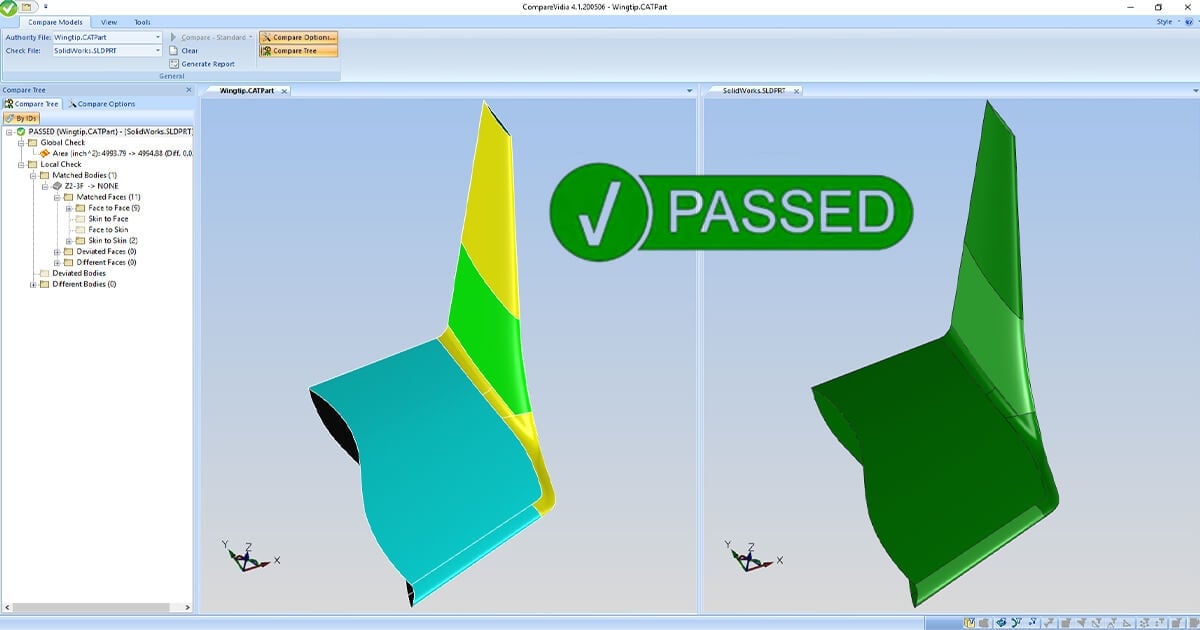
comparevidia-passed

Built for OEMs & suppliers needing top-class validation

From small-scale to large, teams use Capvidia to get work done quickly & efficiently.

Trusted by leaders in aerospace & defense, automotive, medical, industrial, and more.

OEMs

Keep derivative CAD aligned with the authority model.

Suppliers

Confirm revised CAD matches the native model before it reaches the floor.

Digital Transformation leaders

Drive digital product definition (DPD) compliance across the digital thread.

MBDReady

How CompareVidia fits into your workflow

DQM
Capvidia Vector logo

Compare the CAD models

Check a derivative or revised CAD model against the authority model across native and neutral formats

Capvidia Vector logo

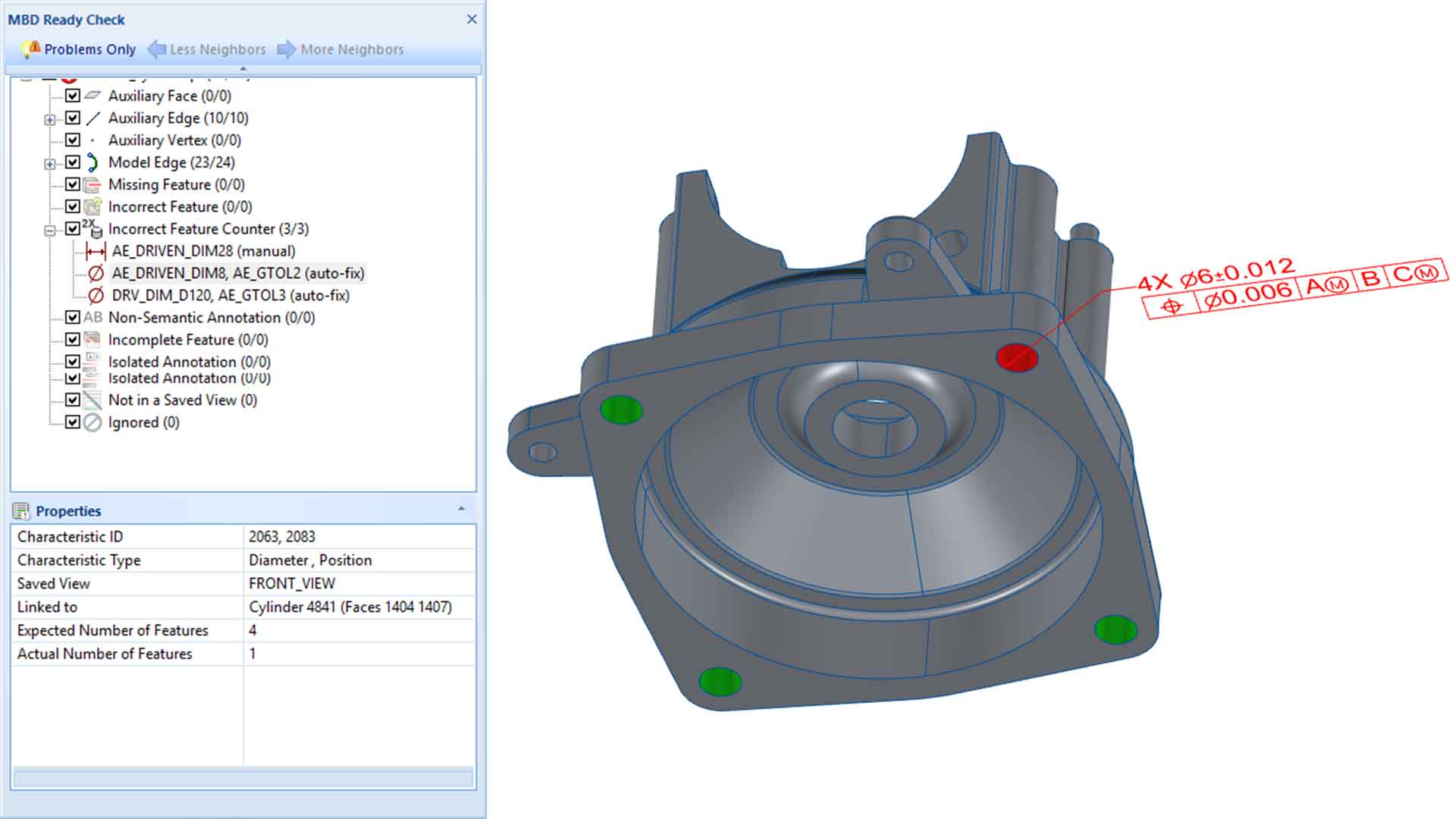
Catch the changes

Find intended and unintended changes in geometry, PMI, GD&T, and related model data before downstream use.

Capvidia Vector logo

Prove the result

Generate pass/fail reports to support DPD compliance, supplier approval, and reliable downstream workflows.

MBDReady

What you can do with CompareVidia:

1.

Validate CAD translations

Load any 3D CAD model and check the derivative against the authority model. B-rep, point-cloud, and mesh–all acceptable.

Compatible with Creo, SolidWorks, NX, CATIA, Inventor, QIF, STEP AP242, IGES, STL, and more.

comparevidia-passed
2.

DPD compliance

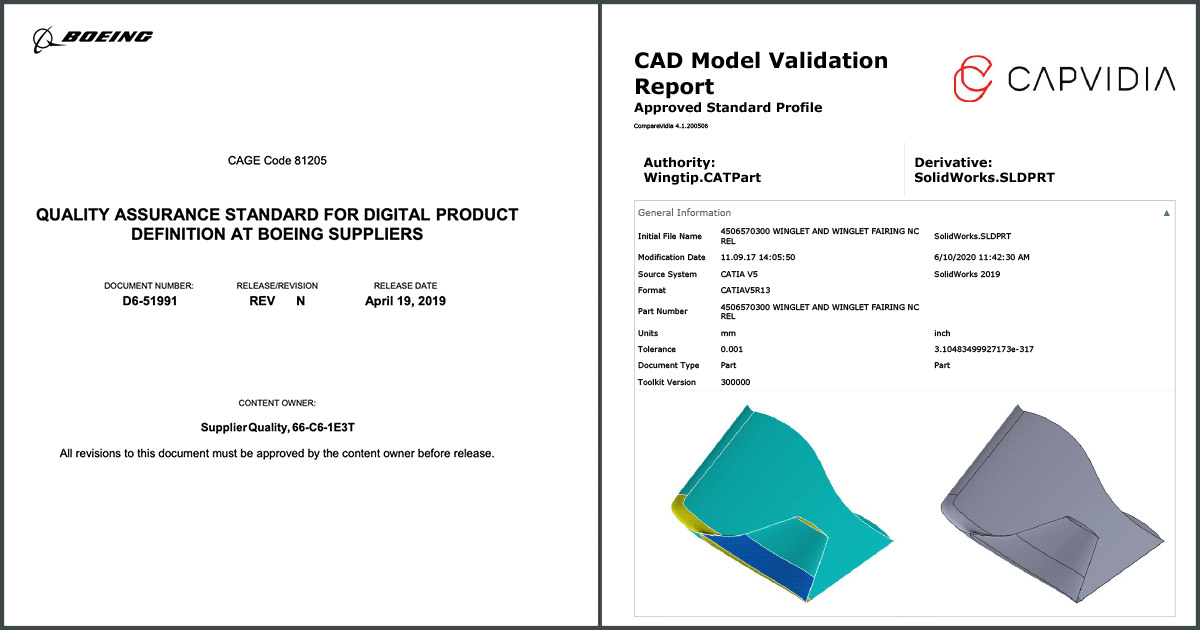
Adheres to Boeing D6-51991 Quality Assurance Standard for Digital Product Definition at Boeing Suppliers and other aerospace standards for Airbus, Lockheed Martin, United Launch Alliance, Northrup Grumman, and more.

In a few easy steps, you get a validation report that you can present to your auditor.

comparevidia-screenshot-2b
3.

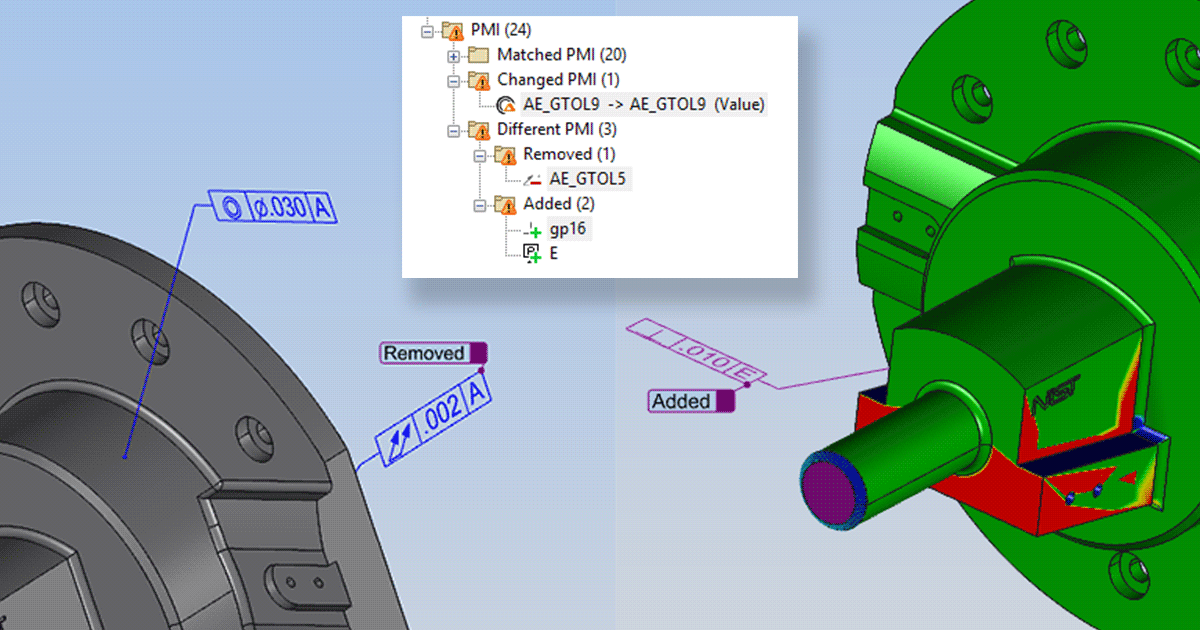
Semantic PMI comparison

Compare GD&T, notes, and 3D annotations that are machine-readable for MBD use.

comparevidia-screenshot-3
4.

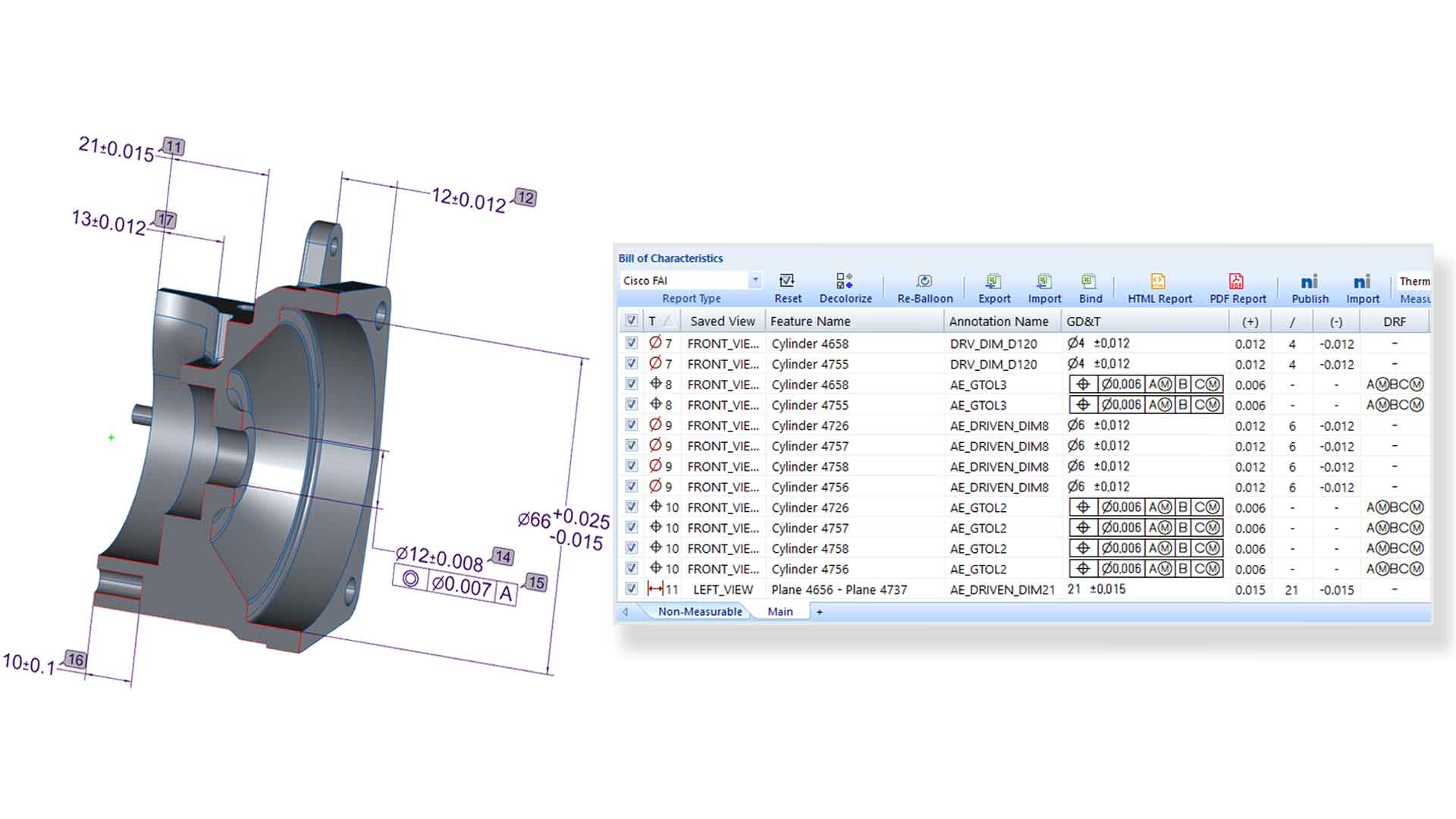
Automate inspection reporting

Create customizable reports in Excel, HTML, PDF, Net-Inspect, and other formats with fewer manual steps. Generate AS9102, PPAP, and other reporting outputs from MBD-rich data

MBDV-screenshot2
5.

Close the quality loop

Import measurement results back into the model to keep design intent and inspection results connected.

Support traceability and downstream data reuse across the digital thread. 

MBDV-screenshot3

Benefits of using CompareVidia for OEMs and Suppliers

  1. Catch translation and revision issues early

    Find unintended changes before derivative CAD reaches downstream teams.

  2. Reduce risk in supplier handoffs

    Confirm native and derivative models match before manufacturing or inspection begins.

  3. Support compliance with less manual effort

    Generate validation reports for DPD, audit, and customer approval workflows.

  4. Keep validation connected across the digital thread

    Link CAD comparison, engineering change, and quality reporting in one traceable process

FAQ

Questions?

Which CAD formats and systems does CompareVidia support?

CompareVidia supports major native CAD systems including CATIA, Creo, NX, SolidWorks, Solid Edge, Inventor, and JT, along with neutral formats such as STEP, Parasolid, ACIS, IGES, DXF/DWG, 3D XML, 3D PDF, XCGM, and common mesh formats. 

Why would an OEM use CompareVidia?

 OEMs use CompareVidia to confirm that derivative CAD delivered in the TDP matches the authority model, helping reduce translation risk and improve downstream trust. 

Why would a supplier use CompareVidia?

Suppliers use CompareVidia to verify that incoming revised or translated CAD is accurate before it reaches manufacturing, inspection, or quality workflows. 

What kinds of changes can CompareVidia detect?

CompareVidia can identify intended and unintended differences in model geometry, semantic PMI, GD&T, annotations, notes, and other critical model data. 

How does CompareVidia support compliance workflows?

CompareVidia helps support DPD and audit workflows by generating validation reports that document whether derivative or revised CAD matches required specifications. 

See whether your CompareVidia can help your workflow

Request a trial of CompareVidia. Explore how to validate models and meet requirements.

comparevidia