







MBD Productivity Software

MBDVidia

Turn CAD with PMI to downstream-ready MBD data

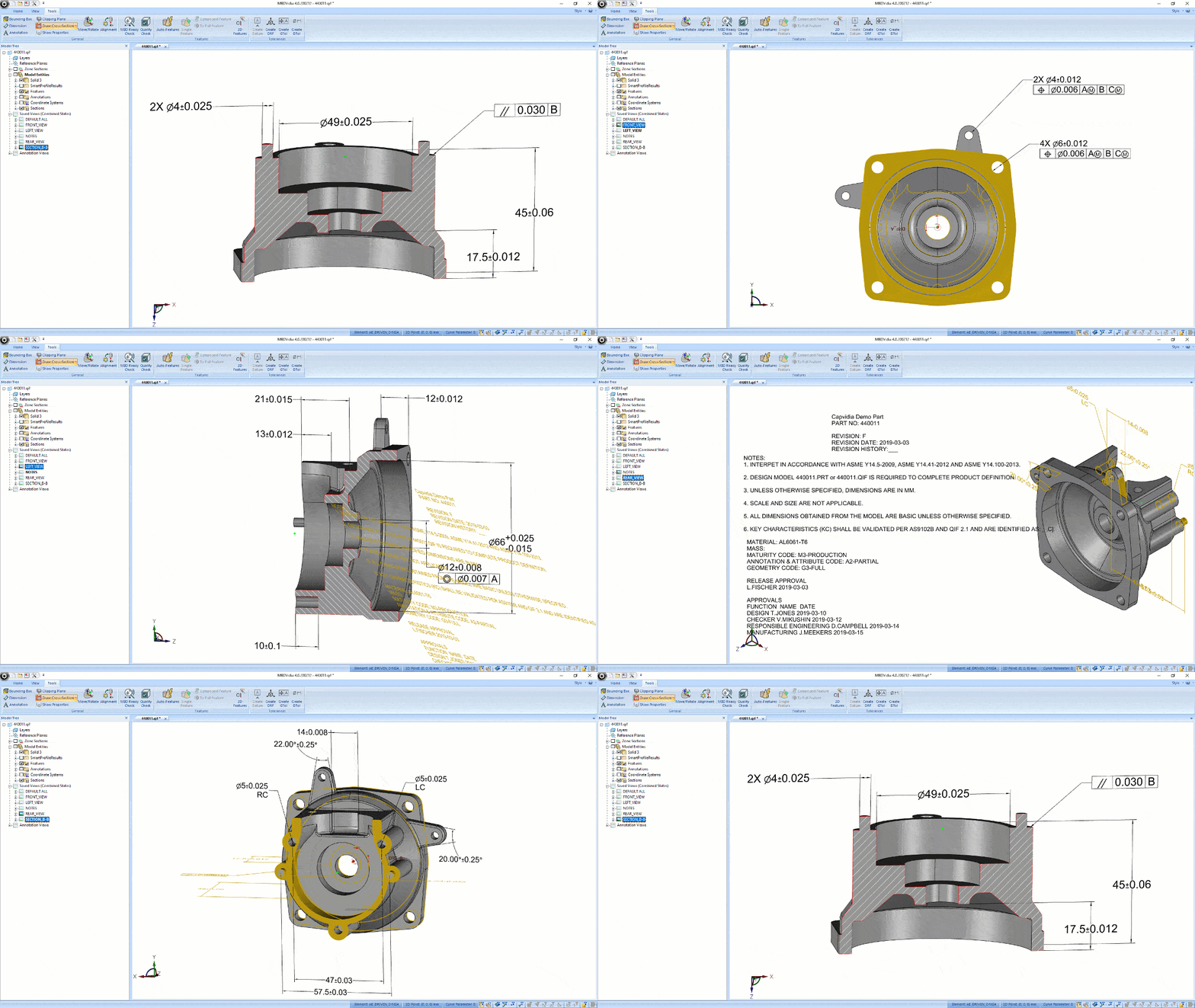
  • Export true MBD from Creo, NX, SolidWorks, CATIA workflows to QIF or STEP AP242

  • Heal PMI for machine-readability and improve downstream compatibility

  • Generate ballooned characteristics and inspection reports without manual transcription

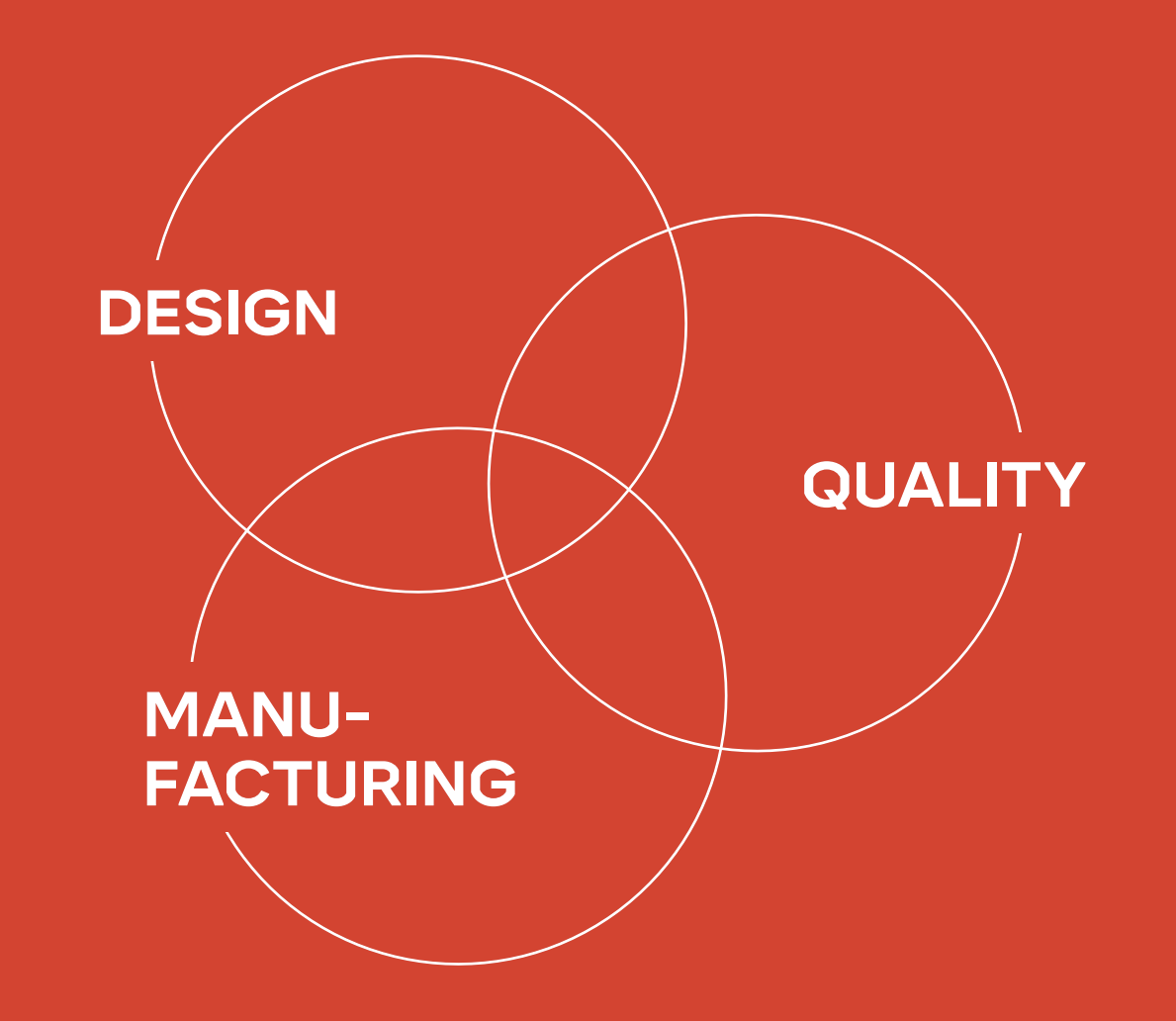
  • Keep data connected from design to quality
MBDVidia GIF

Built for teams moving MBD from design into downstream execution

From pilot projects to enterprise MBD workflows, teams use Capvidia to reduce manual handoffs and improve downstream interoperability.

Trusted by leaders in aerospace & defense, automotive, medical, industrial, and more.

Design & CAD teams

Publish MBD-rich models in neutral formats for reuse across downstream systems.

Quality & inspection teams

Generate bill of characteristics, ballooning, and inspection-ready reports from 2D or 3D sources.

Digital Transformation leaders

Reduce manual transcription, improve interoperability, and strengthen the digital thread.

MBDReady

How MBDVidia fits into your workflow

DQM
Capvidia Vector logo

Open or publish CAD with PMI

Create or export true MBD in QIF or STEP AP242 for downstream use.

Capvidia Vector logo

Validate and repair PMI

Detect GD&T and semantic PMI issues before they create problems downstream.

Capvidia Vector logo

Generate reports and reuse results

Build characteristics, automate reporting, and bring measurement data back into the model.

MBDReady

What you can do with MBDVidia:

1.

Publish interoperable MBD

Export QIF or STEP AP242 from Native CAD to create downstream-ready MBD data for manufacturing and quality.

Supports workflows involving Creo, SolidWorks, NX, and CATIA-related environments and interfaces. 


MBDVidia GIF
2.

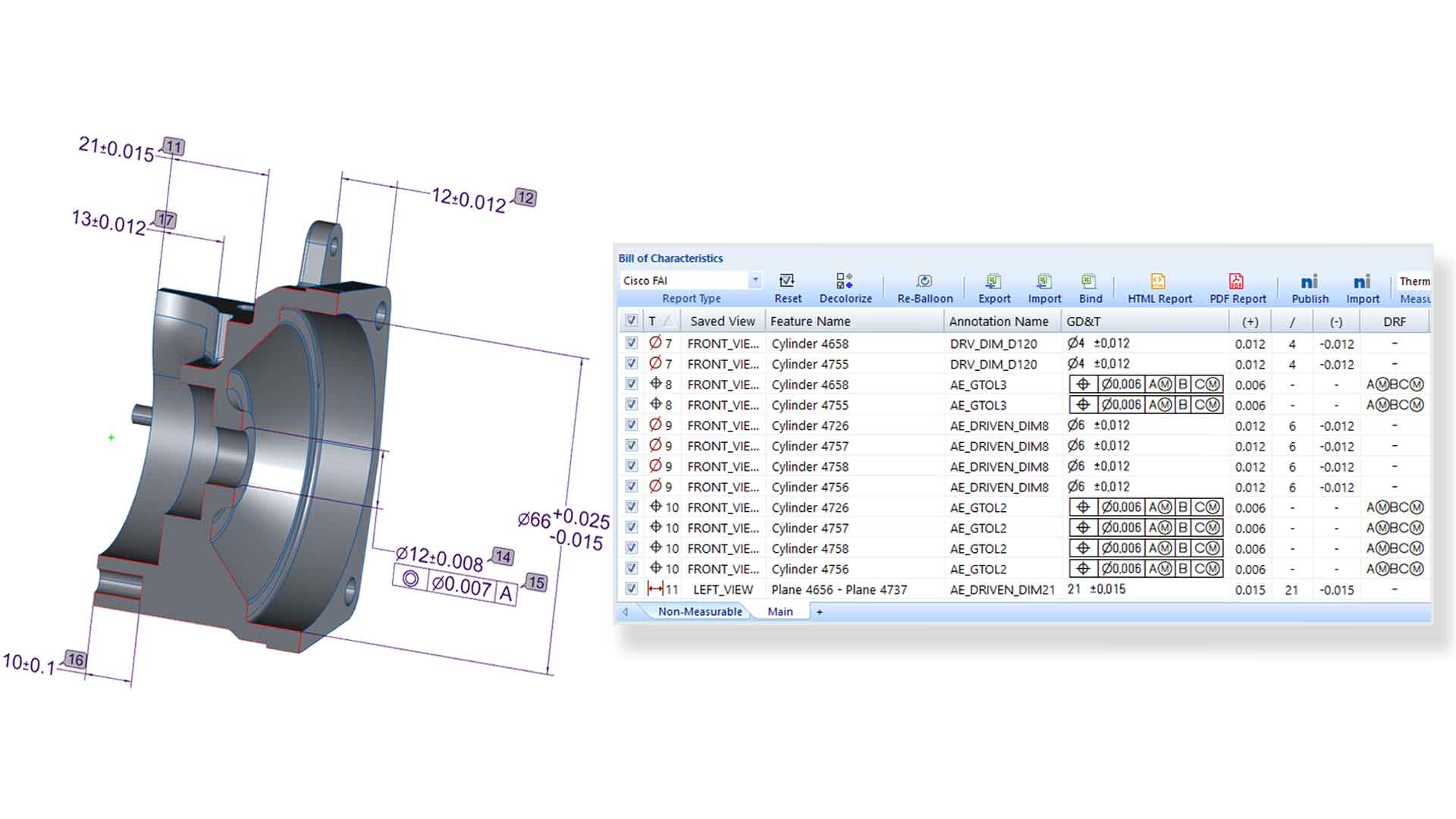
Generate Bill of Characteristics faster

Capture annotations from 2D drawings or 3D CAD models, assign balloon numbers, and prepare characteristic data for FAI and PPAP workflows. 

Reduce setup time and keep revision tracking tied to the authority model. 


MBDV-screenshot2
3.

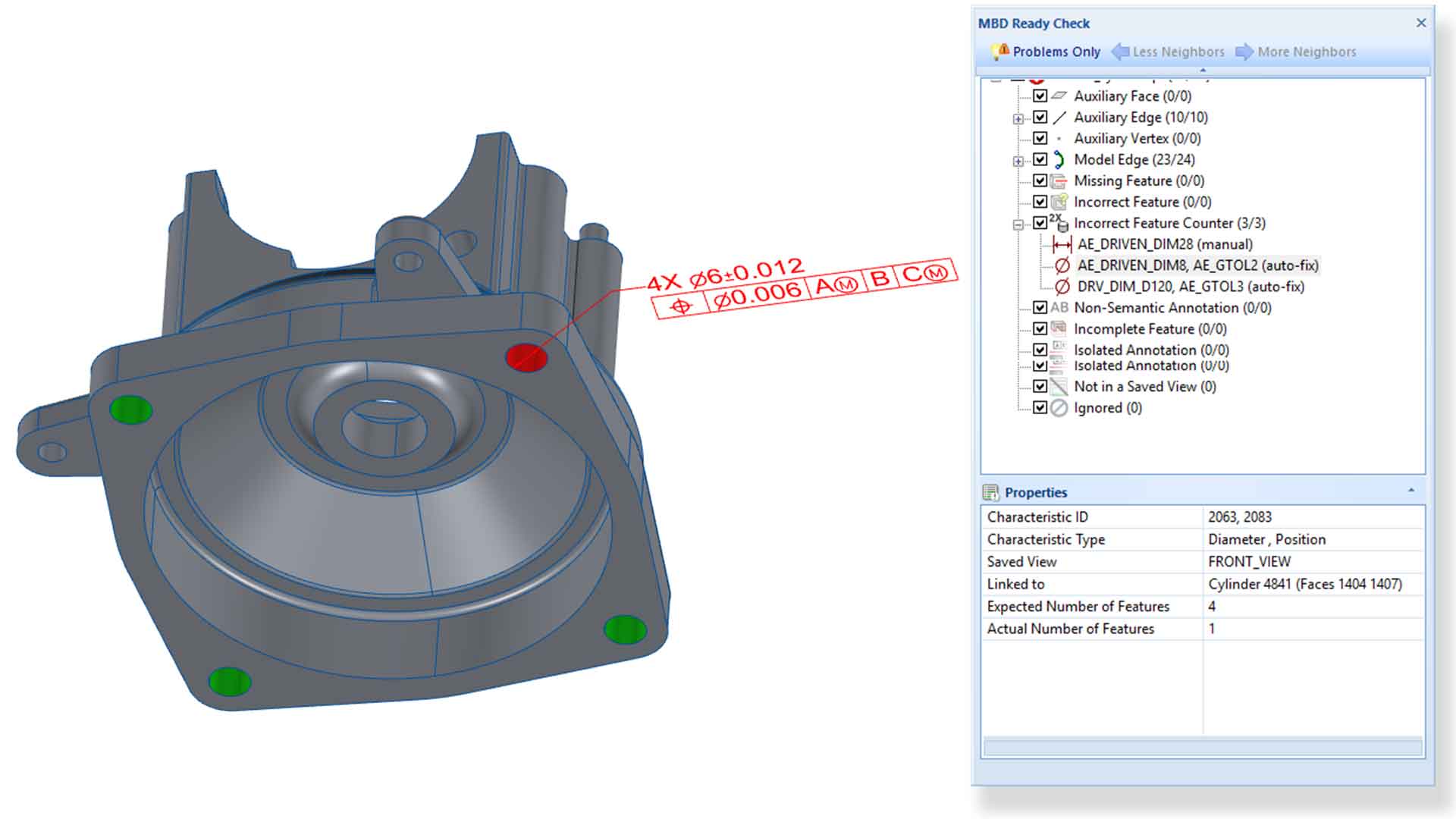
Make your PMI machine-readable

Heal GD&T and semantic PMI issues, repair conflicting data, and prepare models for downstream automation. 

 Improve compatibility for CMM, CAM, and other semantic workflows. 

MBDV-screenshot2-a
4.

Automate inspection reporting 

Create customizable reports in Excel, HTML, PDF, Net-Inspect, and other formats with fewer manual steps.

Generate AS9102, PPAP, and other reporting outputs from MBD-rich data


MBDV-screenshot2
5.

Close the quality loop

Import measurement results back into the model to keep design intent and inspection results connected.

Support traceability and downstream data reuse across the digital thread. 

MBDV-screenshot2-a

Benefits of using MBDVidia for OEMs and Suppliers

  1. Reduce manual transcription and interpretation errors

    Move beyond manually reading, typing, and validating GD&T across systems.

  2. Speed up FAI and PPAP preparation

    Automate characteristic extraction and reporting with fewer clicks.

  3. Improve downstream PMI usability

    Prepare semantic PMI for machine-readable workflows in CMM, CAM, and quality systems.

  4. Keep data connected across the digital thread

    Bring inspection results back into the MBD workflow instead of losing valuable downstream data.

FAQ

Questions?

Which CAD formats and systems does MBDVidia support?

MBDVidia supports neutral MBD workflows built around QIF and STEP AP242, and Capvidia also works with major native CAD ecosystems. For publishing workflows, Capvidia offers plugins for Creo, SolidWorks, and NX, plus an MBD interface for CATIA. This is the most important FAQ because compatibility is usually the first buying question. 

What’s the difference between MBDVidia standalone and the CAD plugins?

MBDVidia standalone is used for broader MBD workflow and translation tasks. The CAD plugins are focused on publishing from supported CAD systems into QIF or STEP AP242. This helps buyers quickly understand whether they need a workstation tool, an authoring-side add-in, or both. 

Can MBDVidia generate FAI, PPAP, and other inspection reports?

Yes. MBDVidia is positioned to generate bill of characteristics, support ballooning, and create inspection reporting outputs such as AS9102, PPAP, Excel, HTML, PDF, and similar formats from 2D drawings, 3D CAD, and related MBD-rich sources. This is one of the clearest product-value questions on the page and should stay prominent. 

Can we customize the reports to match our current forms and process?

Yes. The page says customers commonly configure MBDVidia to export the same inspection reports they already use today, especially in Excel-based workflows. That is a strong reassurance point because it lowers perceived change-management risk 

How does MBDVidia help reduce manual work and downstream errors?

MBDVidia is positioned to reduce manual transcription and interpretation errors by helping teams publish true MBD, make PMI more machine-readable, automate characteristic extraction and reporting, and reuse data downstream in quality and manufacturing workflows. That value thread appears across the page and should be crystallized in one FAQ. 

See whether your CAD and PMI are ready for downstream MBD workflows

Request a trial of MBDVidia standalone or the CAD plugin for supported environments. Explore how to publish interoperable MBD, repair PMI, and accelerate reporting without manual transcription.